Beyond Basic Setup: Real-World FIM Management
After successfully configuring File Integrity Monitoring with real-time detection and forensic attribution in Part 2, I realized that mastering FIM goes beyond just getting alerts to appear. Real-world SIEM deployments involve managing hundreds or thousands of agents, reducing alert fatigue, and implementing centralized policies—skills that separate hobbyist implementations from production-grade security operations.
In this phase of my homelab project, I focused on two critical enterprise skills:
- Centralized Configuration Management using agent groups
- Noise Reduction through strategic ignore directives
The Problem with Manual Configuration
In Part 2, I manually edited the ossec.conf file directly on my Kali agent to enable FIM monitoring. While this worked for a single agent, it's completely impractical at scale. Imagine managing 500 endpoints—manually SSH-ing into each one to update configurations would be a nightmare and introduce massive operational risk.
Professional SIEM deployments use centralized configuration management, where the manager pushes policies to agent groups. This allows security teams to:
- Deploy configuration changes instantly across hundreds of agents
- Maintain consistency across the entire environment
- Version control security policies centrally
- Reduce human error from manual edits
Implementing Centralized Configuration
Understanding Agent Groups
Wazuh uses agent groups to manage configurations centrally. The default group applies to all agents unless they're explicitly assigned to another group. By editing the shared configuration file on the manager, I can push policies to all agents in that group automatically.
Configuring the Manager's Shared Policy
I logged into my SIEM server VM and navigated to the shared configuration file for the default agent group:
sudo nano /var/ossec/etc/shared/default/agent.conf
I added the following configuration block to centrally manage FIM for /opt/test_monitoring:
<agent_config>
  <syscheck>
    <directories check_all="yes" report_changes="yes" realtime="yes" whodata="yes">/opt/test_monitoring</directories>
  </syscheck>
</agent_config>
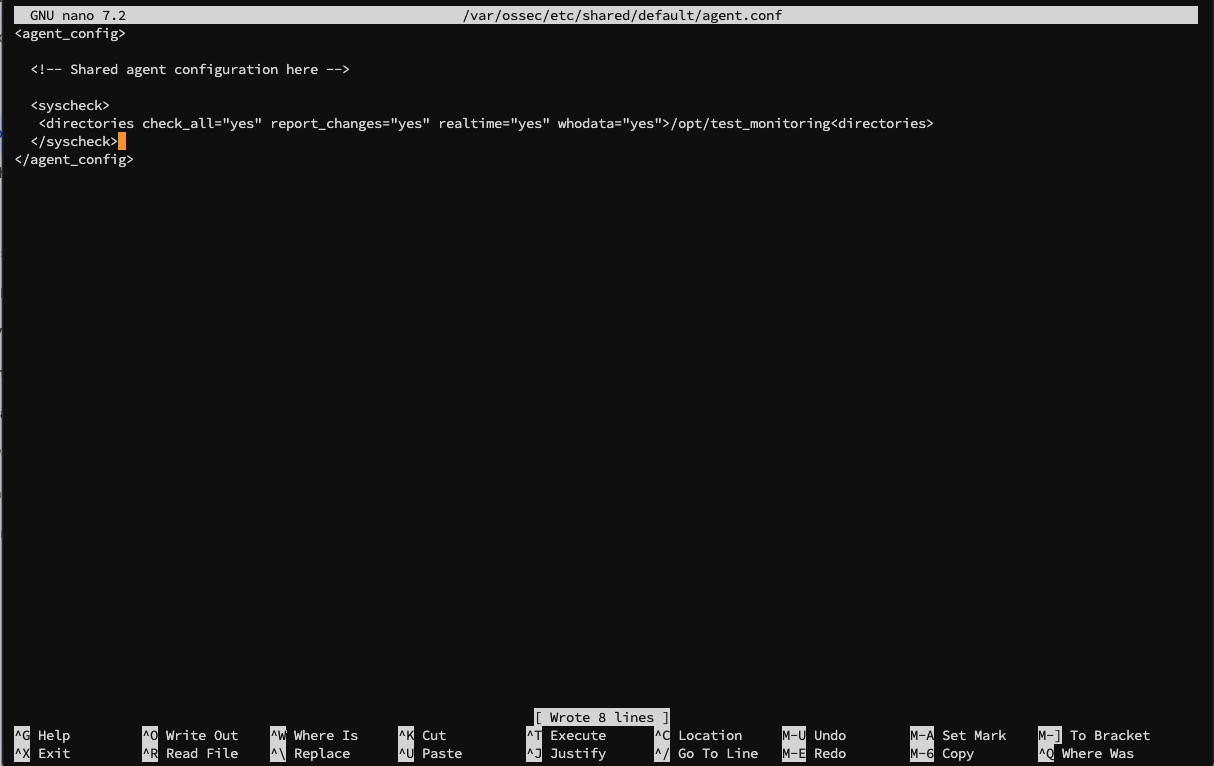
This configuration tells all agents in the default group to monitor /opt/test_monitoring with real-time detection and whodata enabled.
Pushing the Configuration
After saving the file, I restarted the Wazuh manager to load and push the new policy:
sudo systemctl restart wazuh-manager
I waited approximately 30 seconds for the manager to restart and push the configuration to my Kali agent.
Verifying Centralized Configuration
Initial Verification Attempt
I expected the centralized configuration to appear in my Kali agent's local ossec.conf file within an <agent_config> block. I checked:
sudo cat /var/ossec/etc/ossec.conf | grep '<agent_config>'
The command returned no results. This was puzzling—the centralized policy didn't appear to have been applied.
However, when I examined the full configuration file, I noticed my manual configuration from Part 2 was still present:
<directories check_all="yes" report_changes="yes" realtime="yes" whodata="yes">/opt/test_monitoring</directories>
This manual entry was preventing me from seeing whether the centralized policy was actually working.
Testing the Centralized Policy
To verify functionality, I triggered a FIM alert:
echo "FIM test via Manager group policy - FINAL CHECK." | sudo tee -a /opt/test_monitoring/secret_file.txt
I then checked the Wazuh dashboard for new alerts.
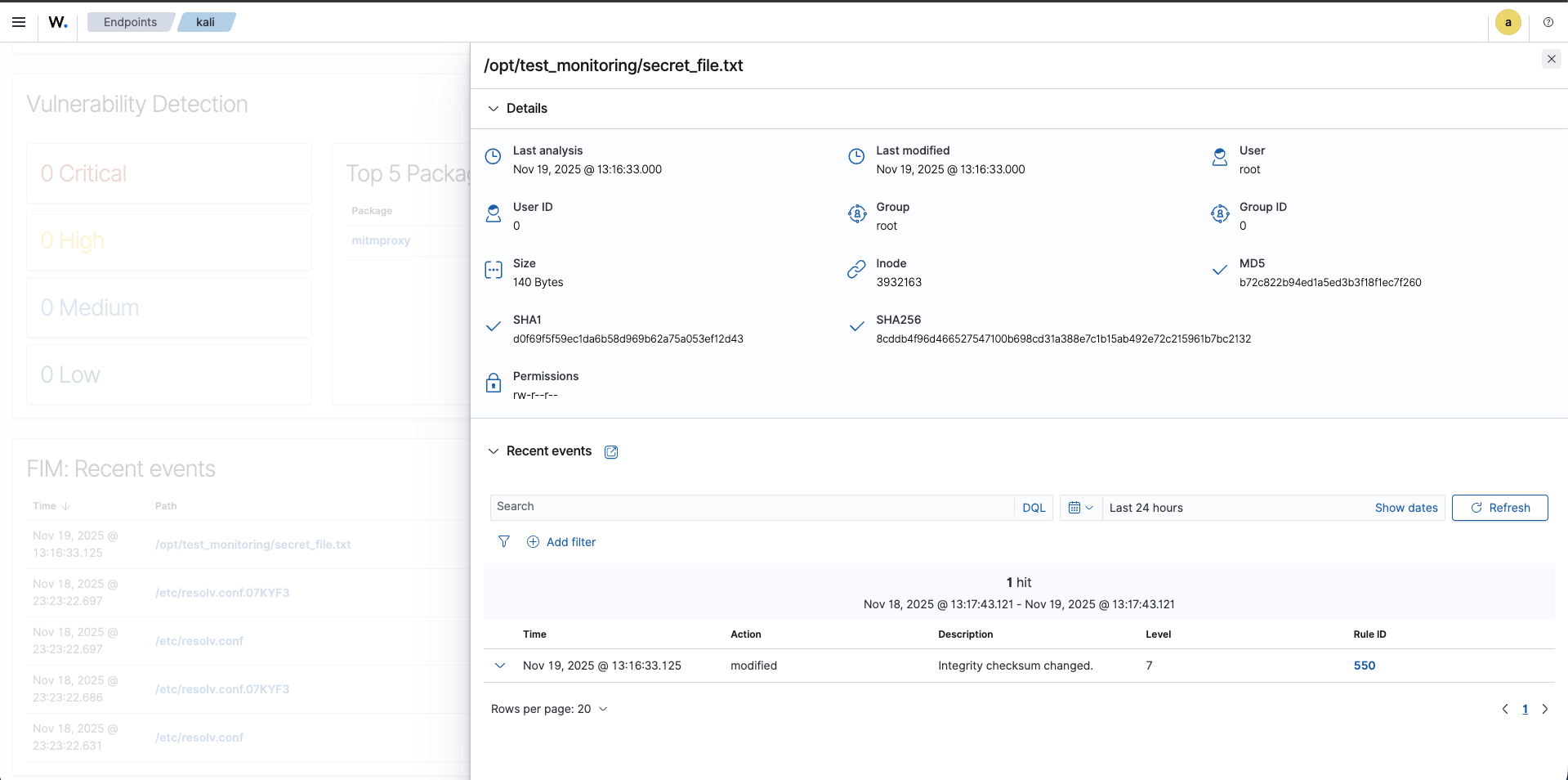
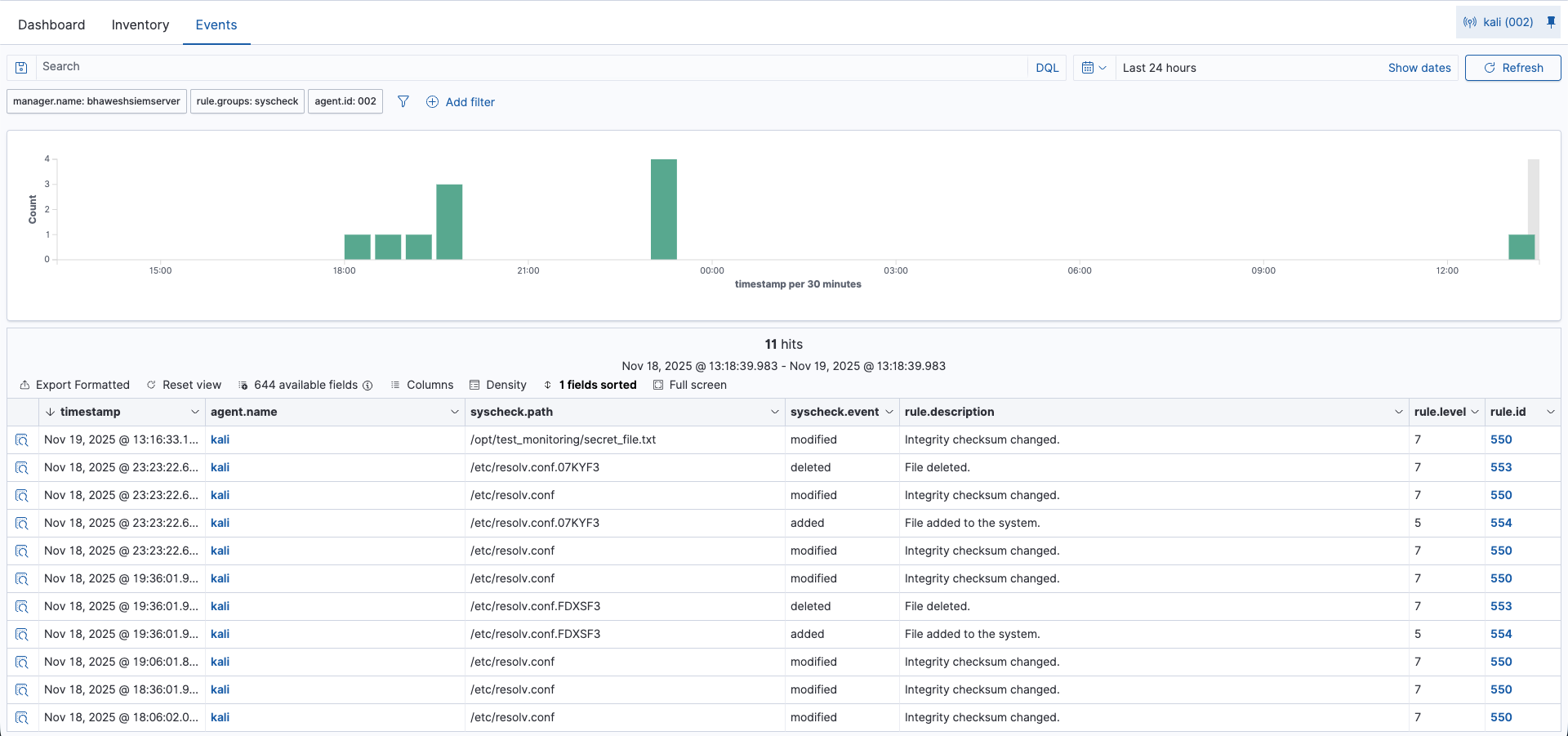
The alert appeared successfully! But I still couldn't definitively confirm whether it was due to my manual configuration or the centralized policy.
Deep Forensic Analysis
I examined the JSON details of the alert to verify whodata functionality:
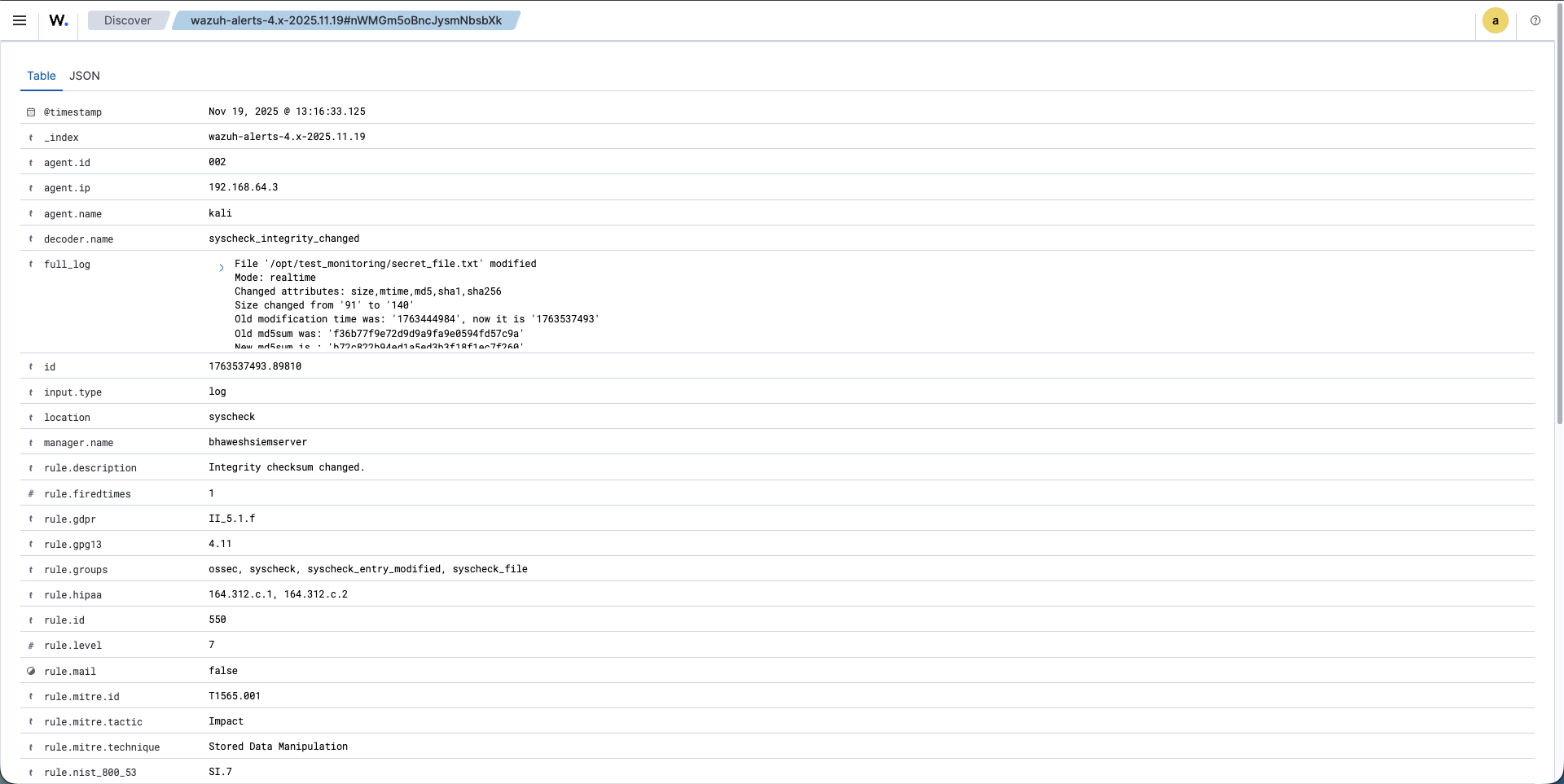
The alert contained comprehensive forensic information:
{
  "syscheck": {
    "size_before": "91",
    "size_after": "140",
    "uname_after": "root",
    "gname_after": "root",
    "uid_after": "0",
    "gid_after": "0",
    "diff": "2a3\n> FIM test via Manager group policy - FINAL CHECK.\n",
    "mode": "realtime",
    "changed_attributes": [
      "size", "mtime", "md5", "sha1", "sha256"
    ]
  }
}
```

### Key Forensic Insights

**User Attribution:** The alert showed `"uname_after": "root"`, not `"kali"`. This is because I used `sudo` in the command. The FIM system correctly captured that the file was modified by the root user, demonstrating the value of whodata for forensic investigations.

**Content Diff:** The `diff` field showed exactly what was added:
```
"diff": "2a3\n> FIM test via Manager group policy - FINAL CHECK.\n"
This standard diff format indicates that line 3 was added after line 2, with the exact content visible.
Hash Verification: All three hash types changed, proving content modification:
- Old SHA256: 36b23ee3e7634b982a444748c9310789d12cd7b144aec90695f60bbcf6b5154d
- New SHA256: 8cddb4f96d466527547100b698cd31a388e7c1b15ab492e72c215961b7bc2132
Size Change: The file grew from 91 bytes to 140 bytes, consistent with the added text.
The Definitive Test: Removing Local Configuration
To conclusively verify the centralized policy was working, I needed to eliminate the manual configuration and see if FIM continued functioning.
Attempting to Force Policy Sync
First, I tried forcing both the manager and agent to sync:
On the SIEM server:
sudo systemctl restart wazuh-manager
On the Kali agent:
sudo /var/ossec/bin/wazuh-control restart
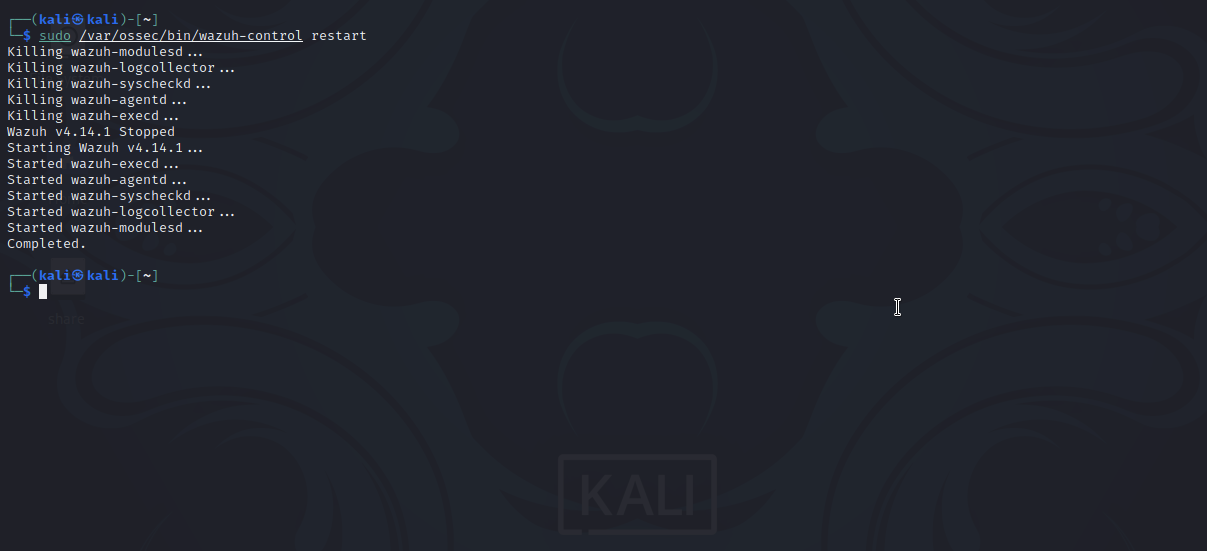
I waited 30 seconds and checked again for the <agent_config> block, but it still wasn't appearing in the expected format.
The Critical Test: Deleting the Manual Rule
I decided to take a more aggressive approach—completely remove the manual FIM rule from the local agent configuration:
sudo nano /var/ossec/etc/ossec.conf
I deleted this line from the <syscheck> block:
<directories check_all="yes" report_changes="yes" realtime="yes" whodata="yes">/opt/test_monitoring</directories>
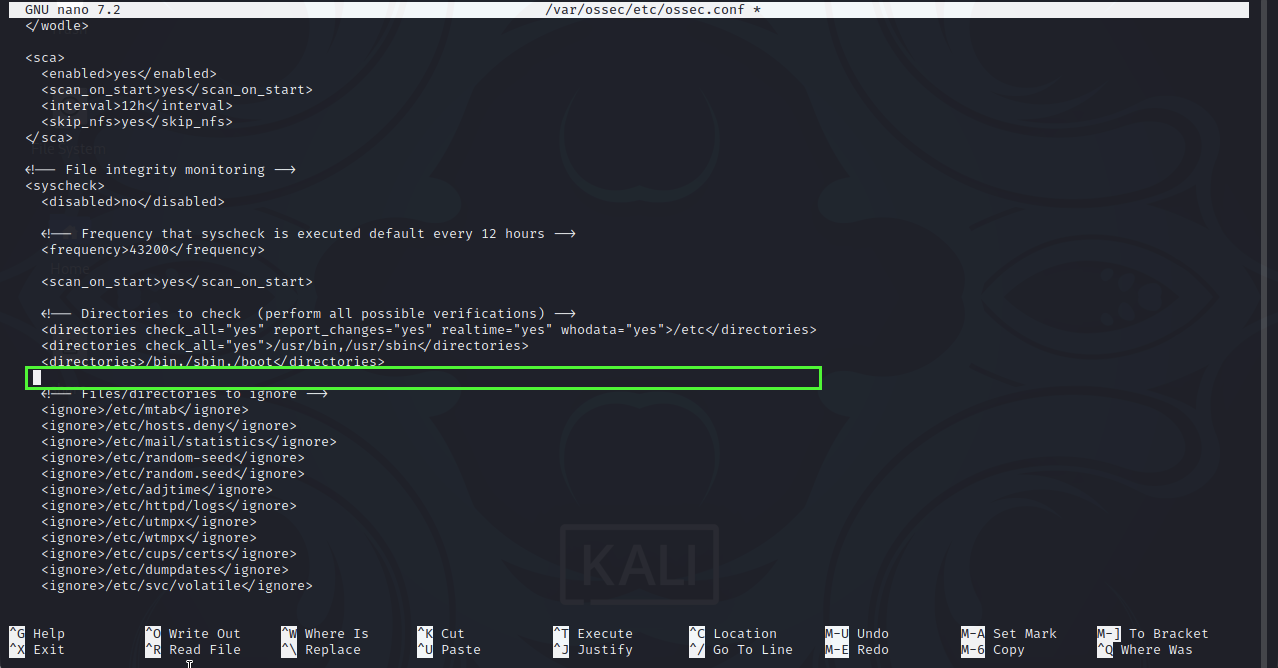
After saving and restarting the agent, I triggered another file modification:
echo "Centralized policy check confirmed." | sudo tee -a /opt/test_monitoring/secret_file.txt
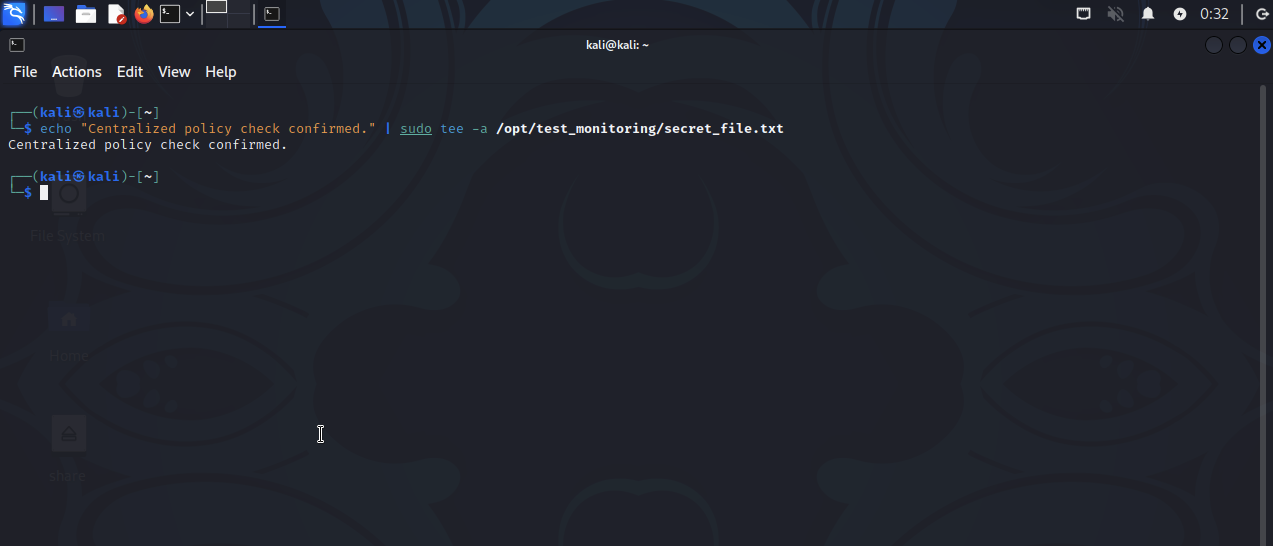
The Breakthrough: Centralized Configuration Confirmed
I checked the Wazuh dashboard and saw that FIM alerts were still being generated for /opt/test_monitoring/secret_file.txt!
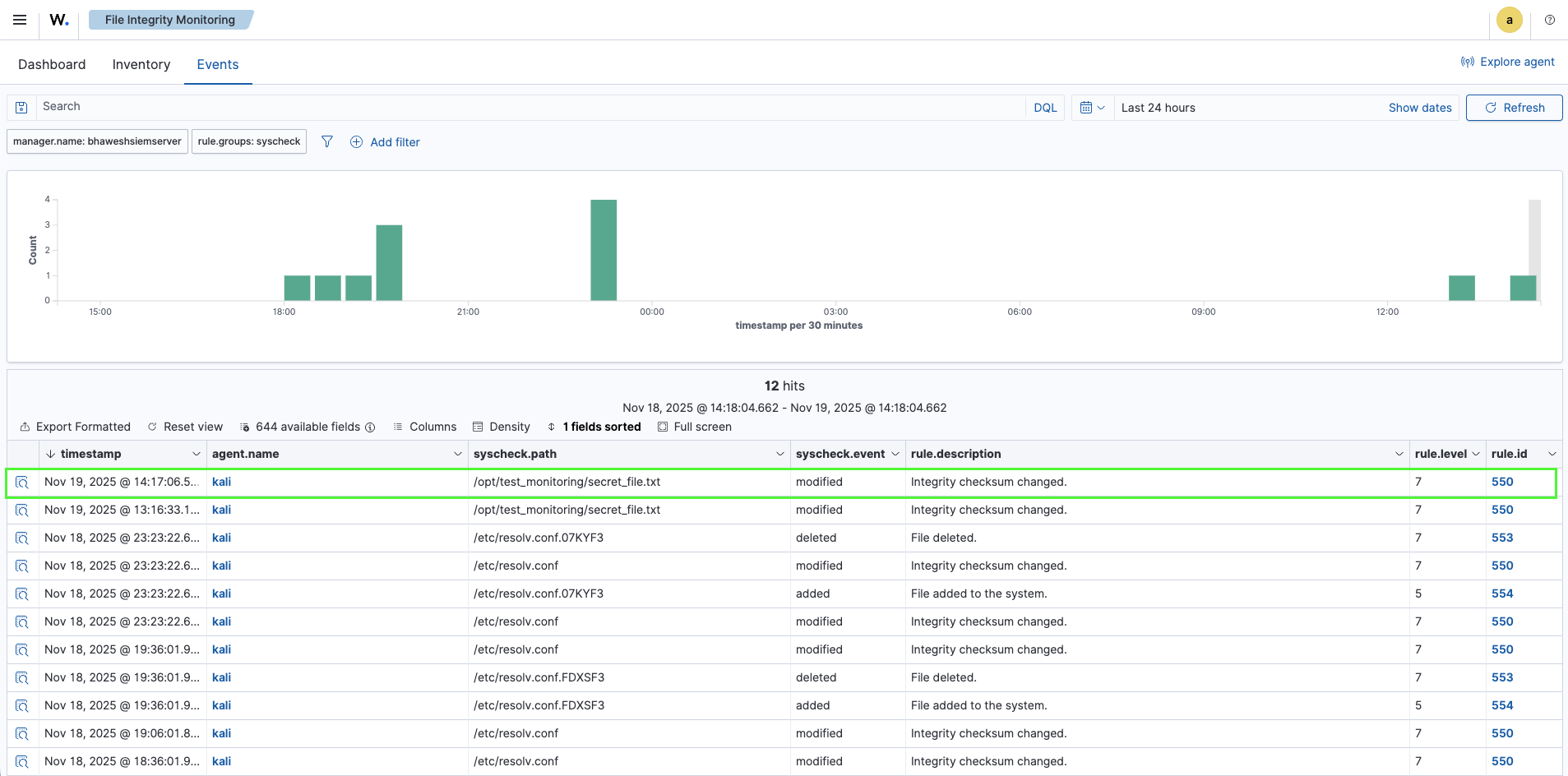
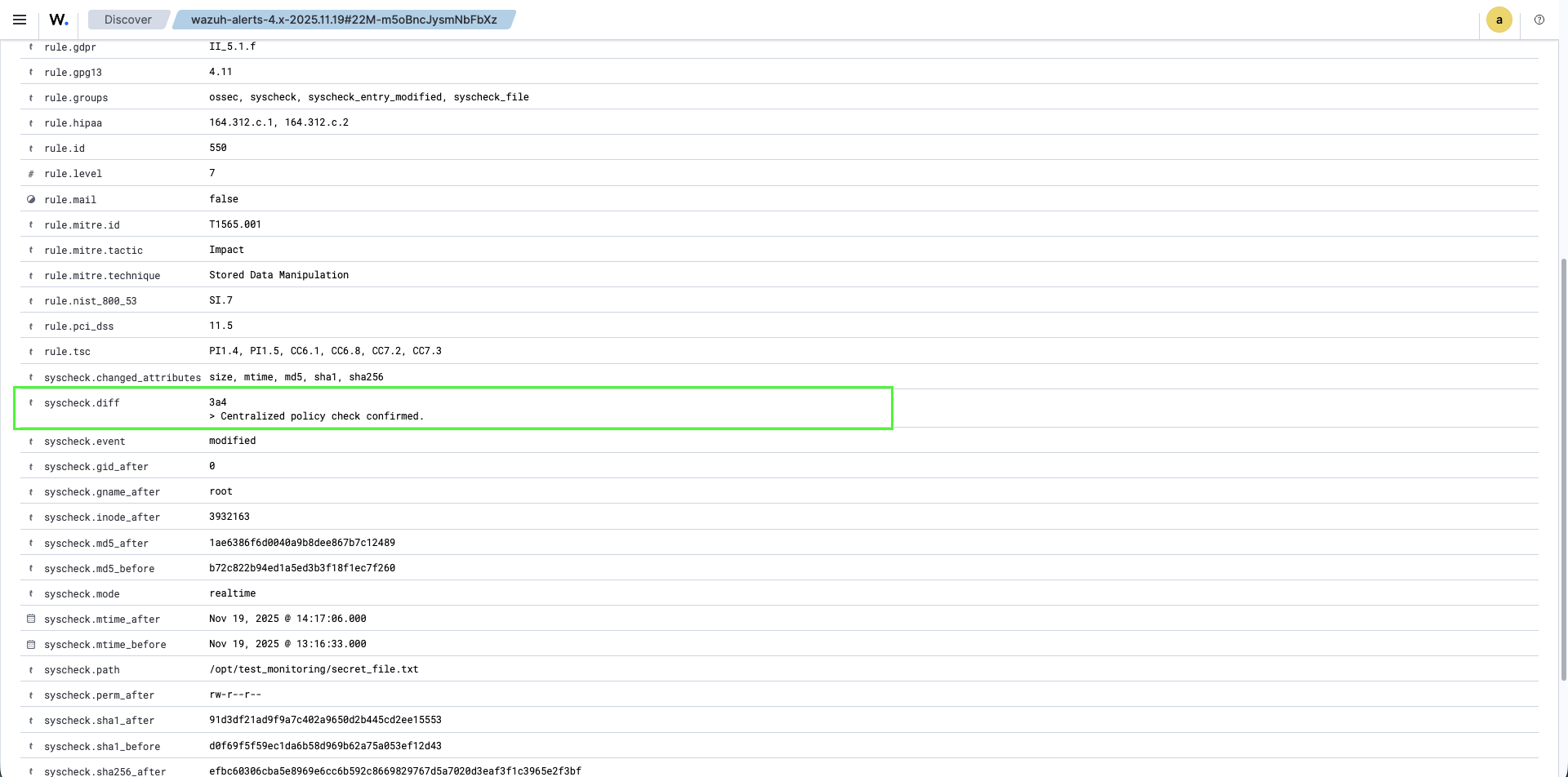
This was the definitive proof I needed:
Fact A: The local ossec.conf no longer contained the FIM rule for /opt/test_monitoring
Fact B: The agent continued monitoring /opt/test_monitoring and generating alerts
Conclusion: The only way both facts could be true is if the FIM rule was being pushed remotely by the manager through centralized configuration.
The centralized policy was working! Even though the <agent_config> block didn't appear in the format I initially expected, the agent was clearly receiving and enforcing the manager's policy.
Final Alert Analysis
The JSON from this test confirmed the centralized policy's effectiveness:
{
  "syscheck": {
    "diff": "3a4\n> Centralized policy check confirmed.\n",
    "mode": "realtime",
    "path": "/opt/test_monitoring/secret_file.txt",
    "size_before": "140",
    "size_after": "176"
  },
  "rule": {
    "id": "550",
    "level": 7,
    "description": "Integrity checksum changed."
  }
}
I had successfully mastered Centralized FIM Configuration—a critical skill for managing security operations at scale.
Noise Reduction: Filtering False Positives
With centralized configuration working, I moved on to the next enterprise skill: noise reduction. In production environments, FIM monitors thousands of files, and legitimate system activity (log rotations, cache updates, automatic patches) can generate overwhelming volumes of alerts.
Without proper filtering, security teams drown in false positives, leading to alert fatigue and missed real threats.
The Scenario: Ignoring Benign Log Files
Imagine a scenario where an application continuously writes to a log file in my monitored directory: /opt/test_monitoring/app.log. Every write would trigger a Level 7 FIM alert, creating noise that obscures actual security events.
The solution is to use the <ignore> directive in the centralized configuration to tell agents to exclude specific files from FIM monitoring.
Configuring Noise Reduction Centrally
However, when I attempted to edit the shared configuration file, I discovered the directory didn't exist:
sudo nano /var/ossec/etc/shared/default/agent.conf
The shared/default/ directory was missing. This can happen in fresh installations where the directory structure hasn't been fully initialized.
I created the necessary directory structure:
sudo mkdir -p /var/ossec/etc/shared/default
The -p flag creates all necessary parent directories.
Now I created the agent.conf file with both the FIM rule and the ignore directive:
<agent_config>
  <syscheck>
    <directories check_all="yes" report_changes="yes" realtime="yes" whodata="yes">/opt/test_monitoring</directories>
    <ignore>/opt/test_monitoring/app.log</ignore>
  </syscheck>
</agent_config>
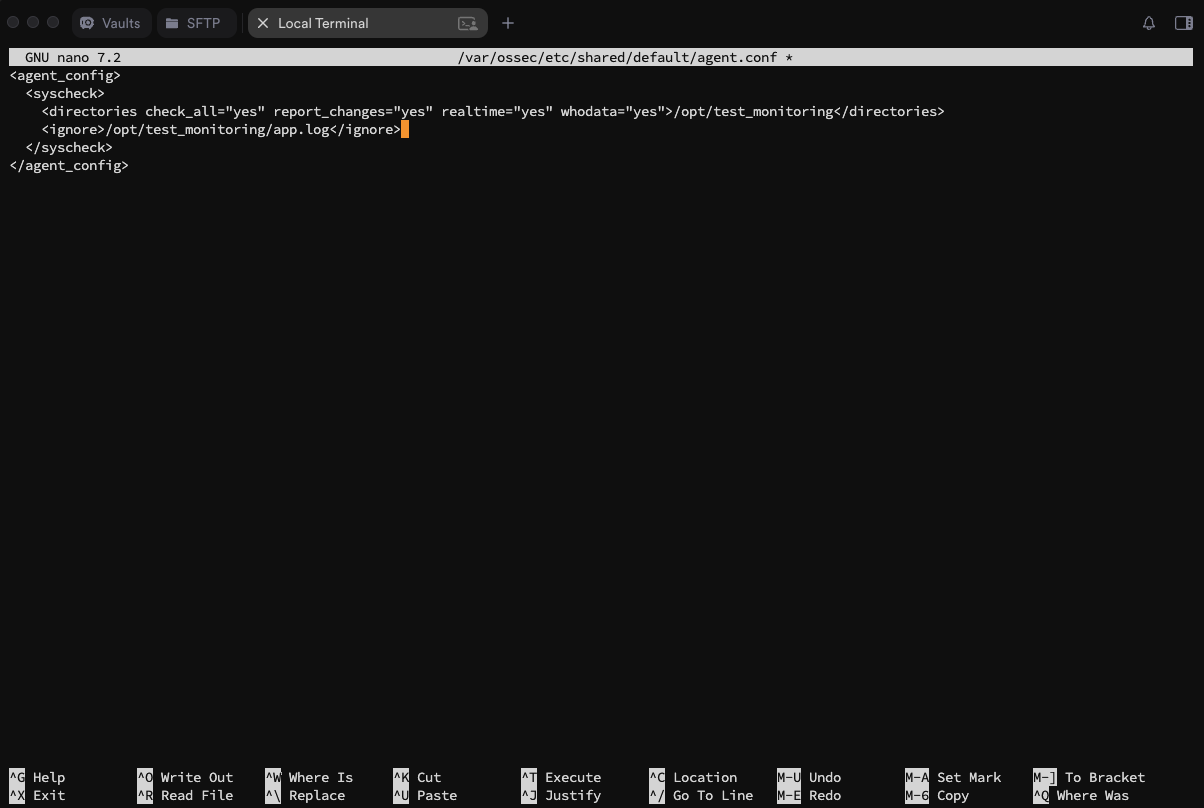
I restarted the manager to load the updated configuration:
sudo systemctl restart wazuh-manager
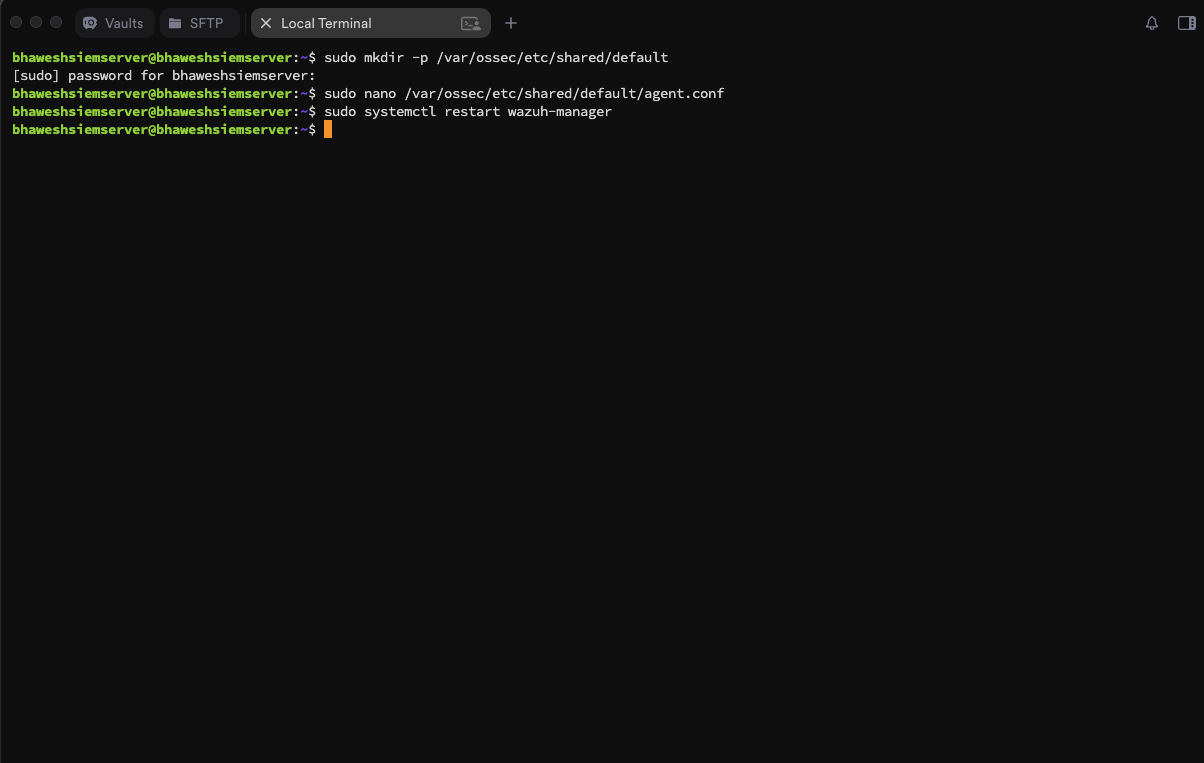
On the Kali agent, I restarted to immediately pull the new policy:
sudo /var/ossec/bin/wazuh-control restart
Testing Noise Reduction
I created the ignored log file and modified it repeatedly:
sudo touch /opt/test_monitoring/app.log
echo "This is a benign log entry." | sudo tee -a /opt/test_monitoring/app.log
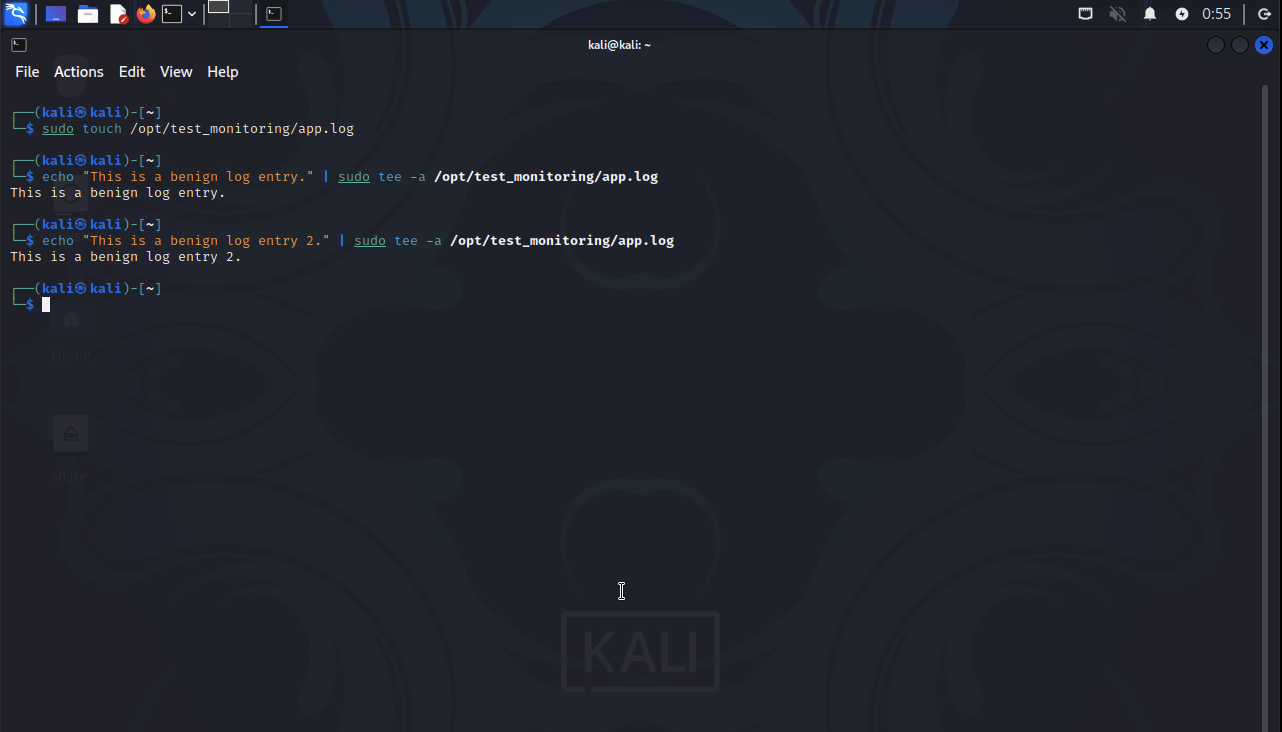
I checked the Wazuh dashboard for any FIM alerts (Rule ID 550) mentioning /opt/test_monitoring/app.log.
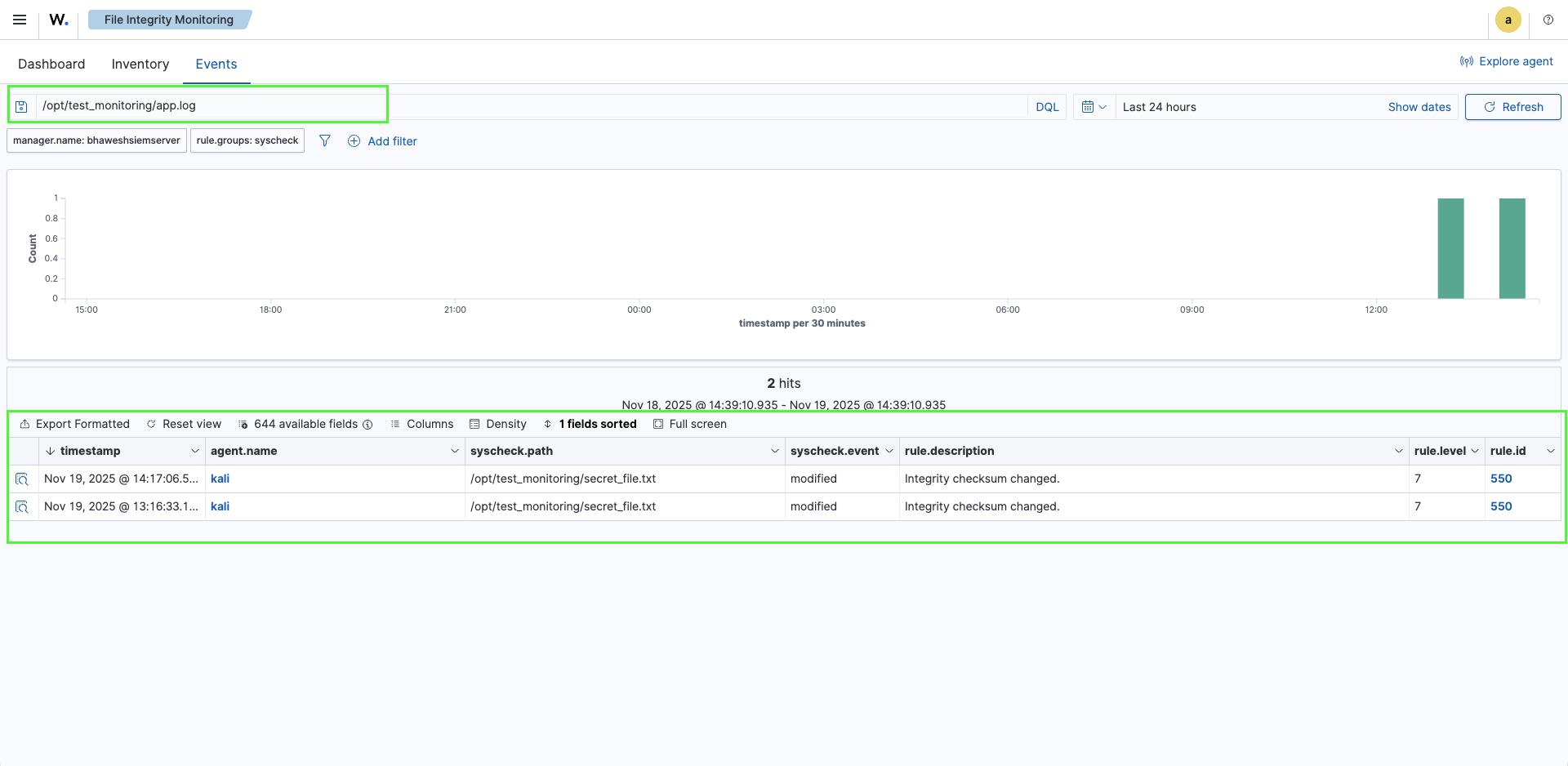
Success! No alerts appeared for app.log. The centralized <ignore> directive was working perfectly, filtering out the noise as intended.
Verifying FIM Still Functions
To ensure FIM was still actively monitoring the directory (and I hadn't accidentally broken something), I modified the original test file:
echo "FIM is still active." | sudo tee -a /opt/test_monitoring/secret_file.txt
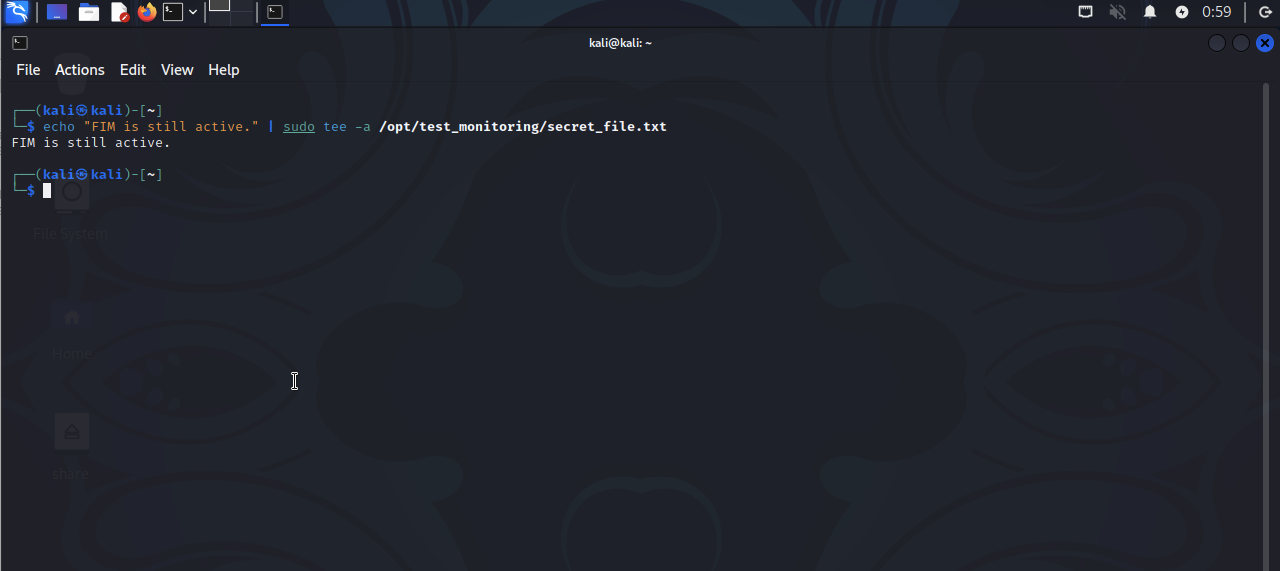
I checked the dashboard again:
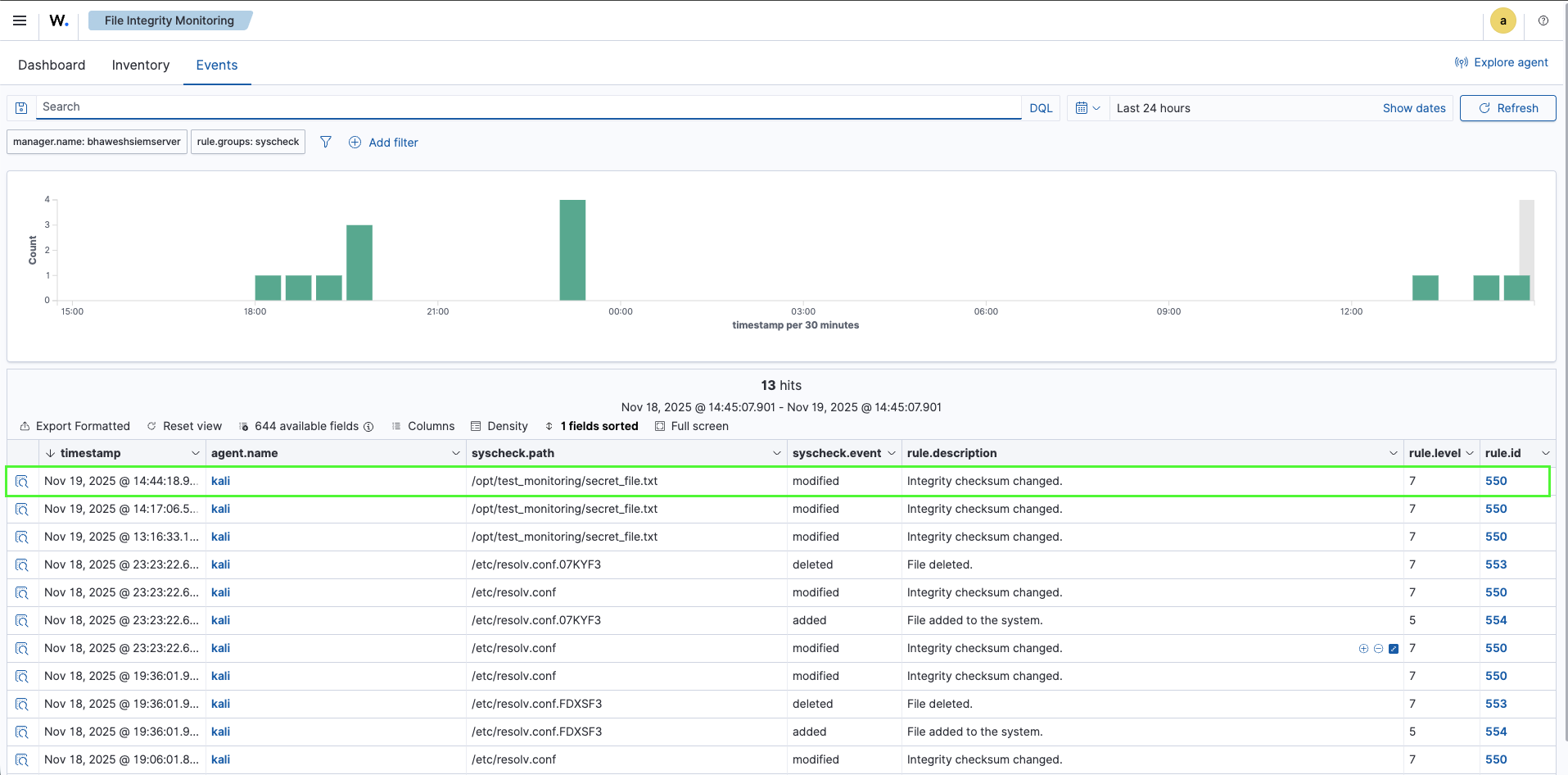
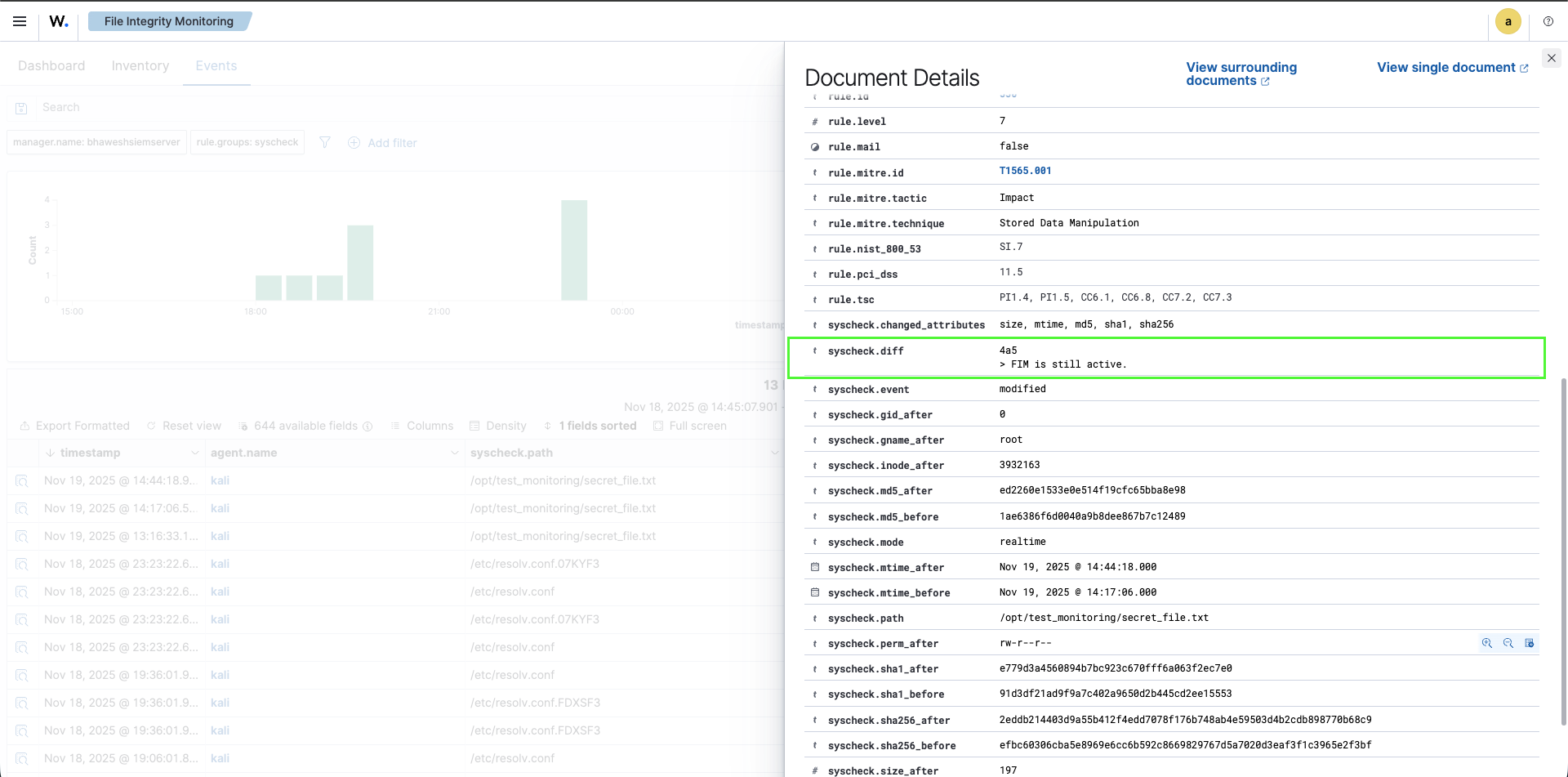
The alert appeared immediately! This confirmed:
- Centralized ignore directive works – app.log is silenced
- FIM remains active – Other files in the directory still trigger alerts
- Noise reduction is operational – I can filter false positives without disabling security monitoring
The JSON alert showed the expected forensic data:
{
  "syscheck": {
    "diff": "4a5\n> FIM is still active.\n",
    "mode": "realtime",
    "path": "/opt/test_monitoring/secret_file.txt",
    "uname_after": "root",
    "size_before": "176",
    "size_after": "197"
  },
  "rule": {
    "id": "550",
    "level": 7,
    "description": "Integrity checksum changed."
  }
}
Key Skills Mastered
1. Centralized Configuration Management
I successfully implemented agent group policies that allow me to:
- Push FIM rules from a central manager to multiple agents
- Avoid manual configuration on individual endpoints
- Maintain consistency across the environment
- Update policies without touching individual agents
This is the foundation of enterprise SIEM management.
2. Noise Reduction Through Ignore Directives
I learned to:
- Identify files that generate false positive alerts
- Implement centralized ignore rules
- Reduce alert volume without compromising security coverage
- Balance detection comprehensiveness with operational sustainability
3. Forensic Alert Analysis
Through detailed JSON examination, I gained proficiency in:
- User attribution via whodata
- Content diff interpretation
- Hash verification for integrity validation
- MITRE ATT&CK framework mapping
4. Systematic Troubleshooting
When centralized configuration didn't appear as expected, I:
- Developed a hypothesis (centralized policy vs. local config)
- Designed a definitive test (removing local config)
- Validated functionality through operational testing
- Confirmed success through behavioral evidence rather than file structure assumptions
The Path Forward
I've now built a production-grade FIM system with:
✅ Real-time detection with sub-second latency
✅ Complete forensic attribution via whodata
✅ Centralized configuration management
✅ Strategic noise reduction
✅ MITRE ATT&CK framework integration
✅ Scalable architecture for multi-agent deployments
This foundation prepares my homelab for more advanced security operations: custom detection rules, threat intelligence integration, and automated response playbooks.
Lessons Learned
1. Documentation Doesn't Always Match Reality The <agent_config> block didn't appear in the local configuration file the way documentation suggested, but the functionality worked. Operational testing proved more valuable than file structure analysis.
2. Centralized Management Is Non-Negotiable at Scale Manually editing agent configurations works for one or two endpoints, but it's completely impractical beyond that. Centralized policies are essential for enterprise SIEM.
3. Noise Reduction Is a Security Control Alert fatigue isn't just an annoyance—it's a security vulnerability. If analysts are drowning in false positives, they'll miss real threats. Strategic filtering is critical.
4. Forensic Data Adds Investigative Value The difference between knowing "a file changed" and knowing "root user changed this file at 08:32:06, adding exactly this content" is the difference between an alert and actionable intelligence.
Conclusion
Mastering centralized FIM configuration and noise reduction transformed my homelab from a basic alerting system into a production-grade security monitoring platform. These skills bridge the gap between toy implementations and real-world SOC operations.
The ability to manage policies centrally, reduce false positives strategically, and extract forensic intelligence from alerts represents genuine operational maturity in SIEM management.